Know what's in the bay without walking out there.
WrapFlow is the board, quotes, proofs, time clock and invoicing for a vehicle wrap shop. One login for the office, the installers and the owner's phone.
- 4 min
- from a phone call to a quote the customer can accept
- 15 vans
- under one order, each one priced, tracked and billed on its own
- 0
- jobs lost between quote and production
- 1 login
- for the office, the installers and the owner's phone
One Monday in a Nashville wrap shop
Six things that used to be a phone call.
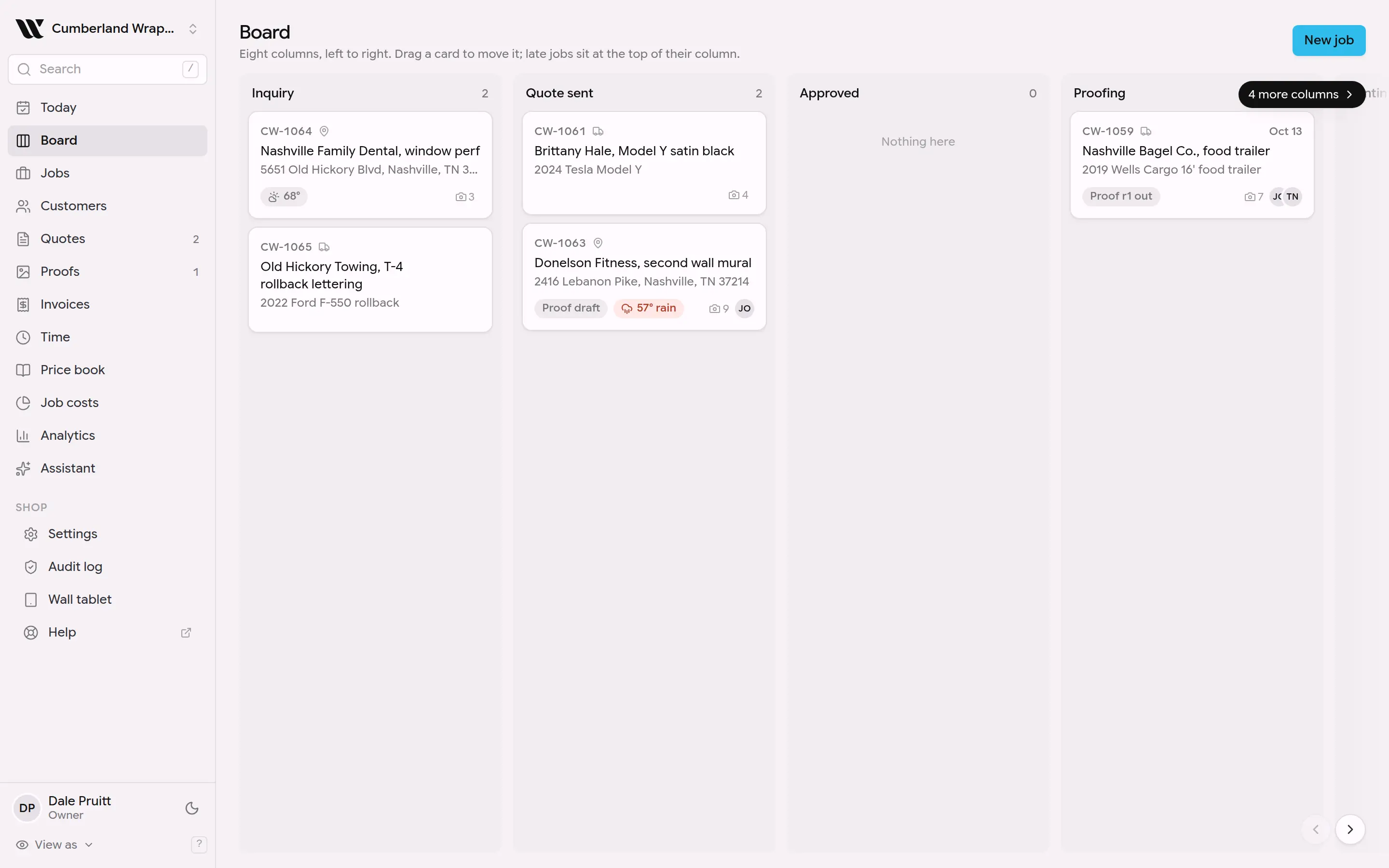
Four people, one bay, a fifteen-van fleet in progress. Every line below happens inside the product, and the owner sees each one from wherever he is.
- 7:02 AM
Marcus clocks in on the Music City Plumbing fleet from the tablet by the bay door. Unit 10 of 15.
- 7:50 AM
Renee takes a call from Old Hickory Towing, adds the T-4 rollback as a job. It's on the board before she hangs up.
- 8:14 AM
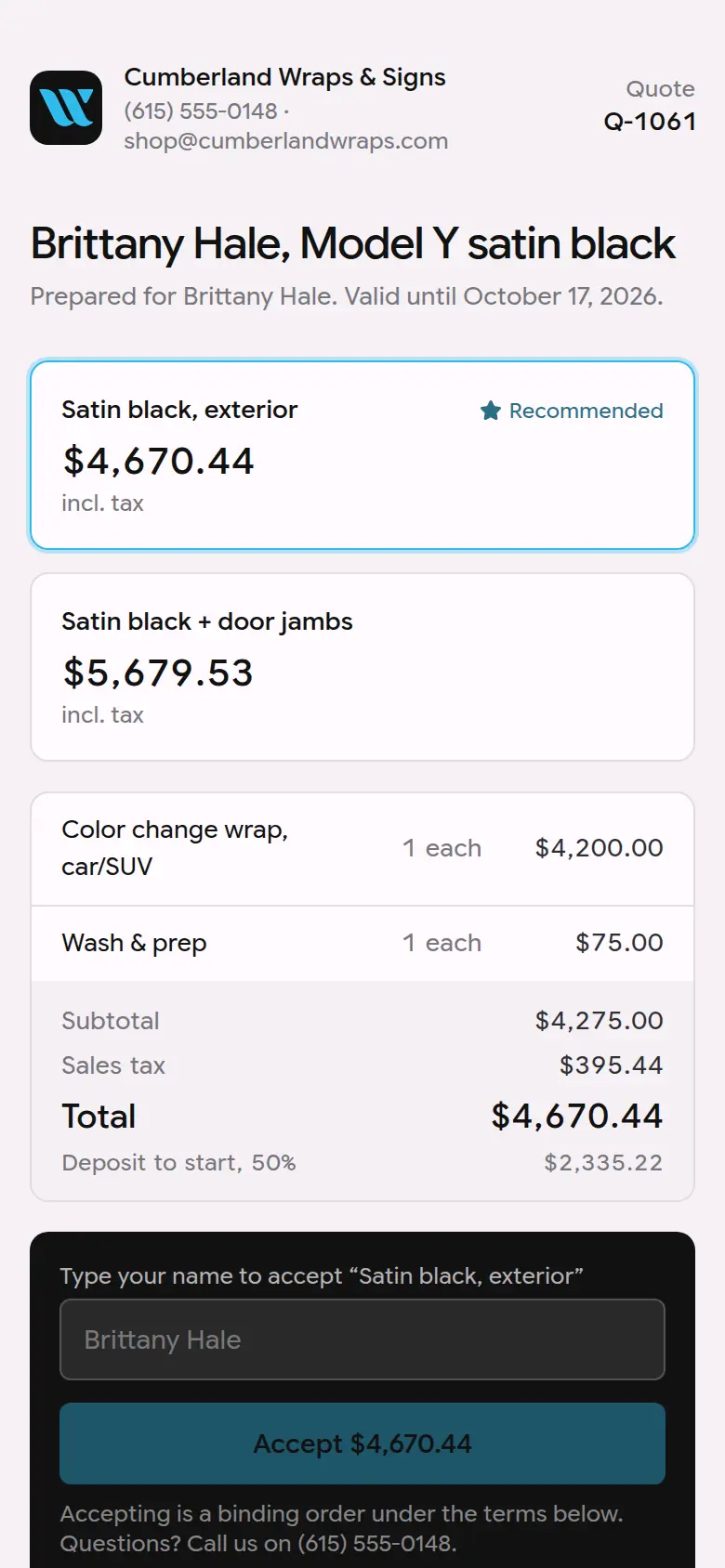
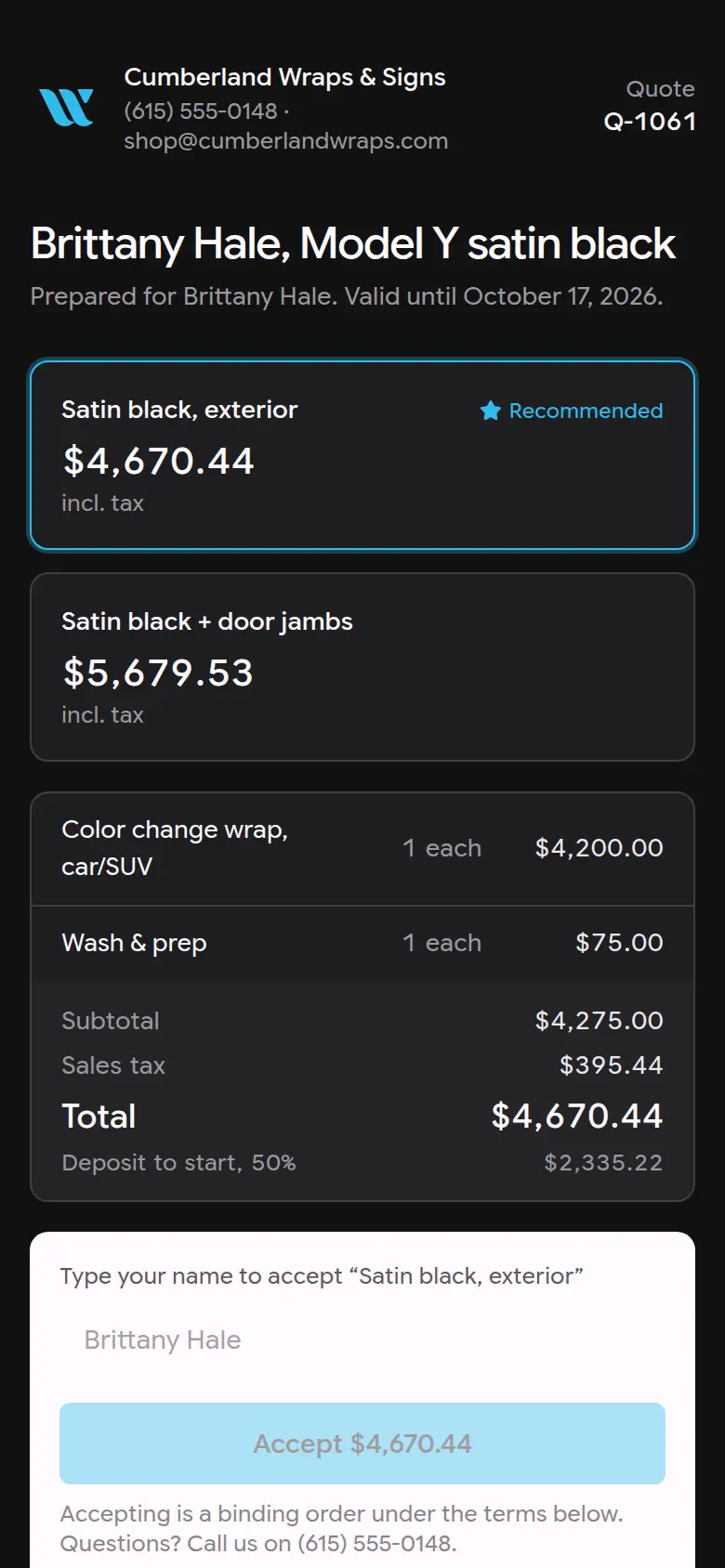
Greg at Music City Plumbing opens the quote for his second fleet on his phone and accepts option two. The deposit invoice sends itself.
- 9:40 AM
Renee records check 10422 against the fleet's progress invoice. Balance owed drops to $1,675.
- 1:10 PM
Jess uploads round two of the food trailer artwork after Sam asked for a bigger phone number. Printing stays locked until he approves.
- 4:48 PM
Marcus moves unit 10 to Done. Four finished vans are now sitting there ready to bill, and Dale can see it from the truck.
Quotes
See what the discount costs before you give it.
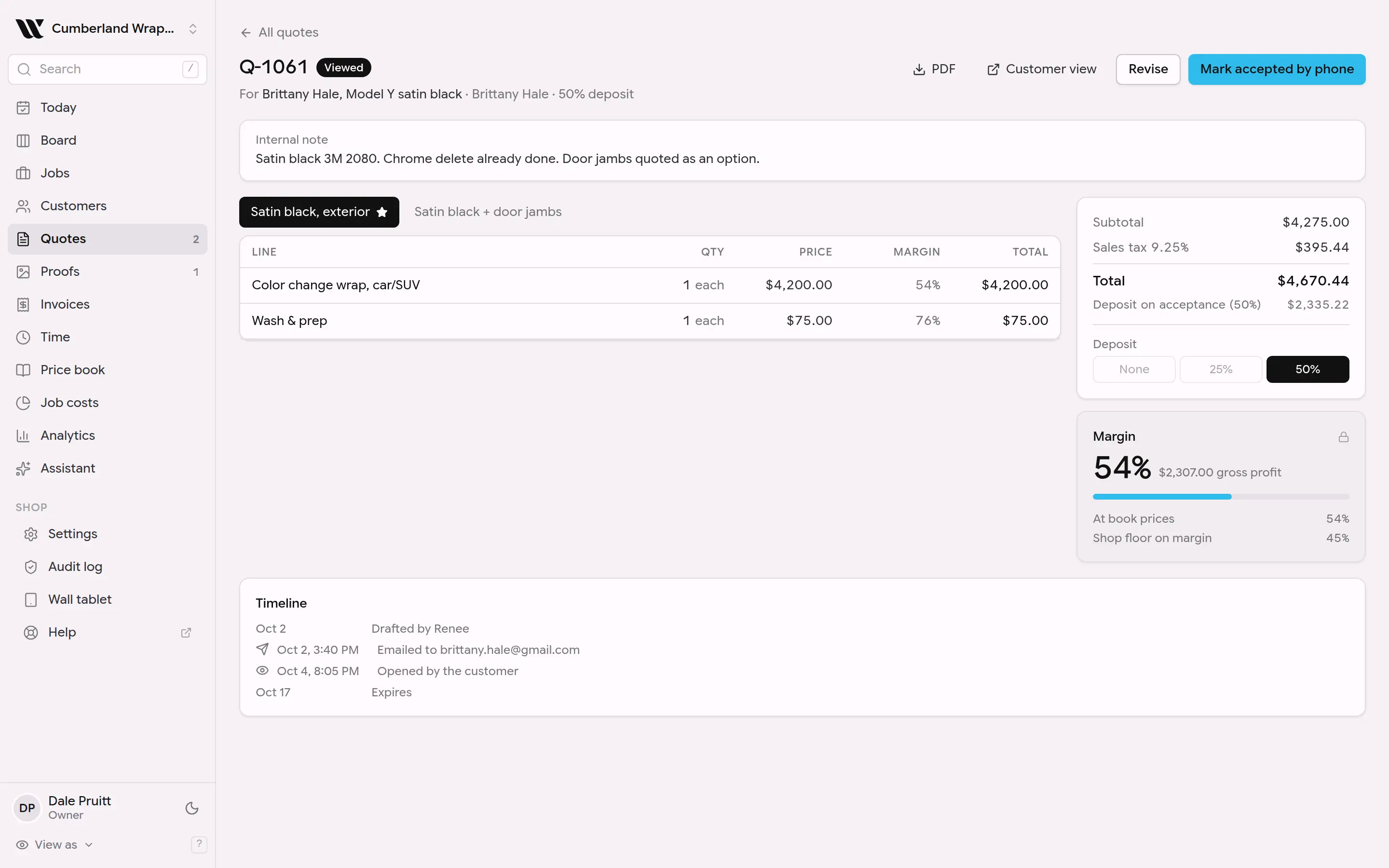
Your price book holds what you sell and what it costs you. Quotes are assembled from it with up to three options. Change a price on one line and the margin moves while you type; the reason you gave is kept on the job. The customer accepts from a link on their phone, and the deposit invoice sends itself.
- Acceptance creates the stage change, the invoice and the email. Nothing to remember.
- Office staff discount to a limit you set
- Audit log records who changed which price, and why
Proofs and the print gate
Nothing goes on the printer without a customer's name on the artwork.
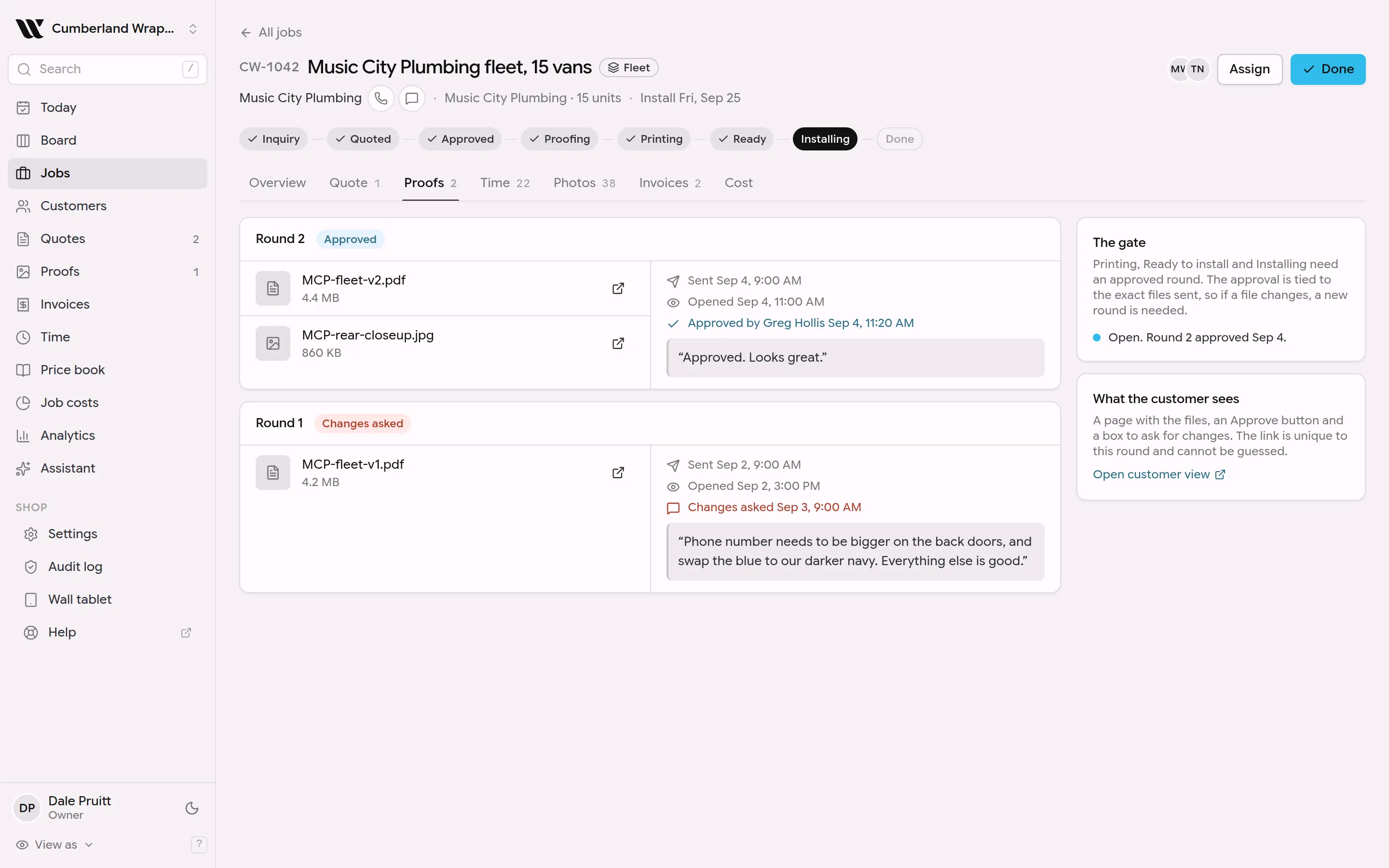
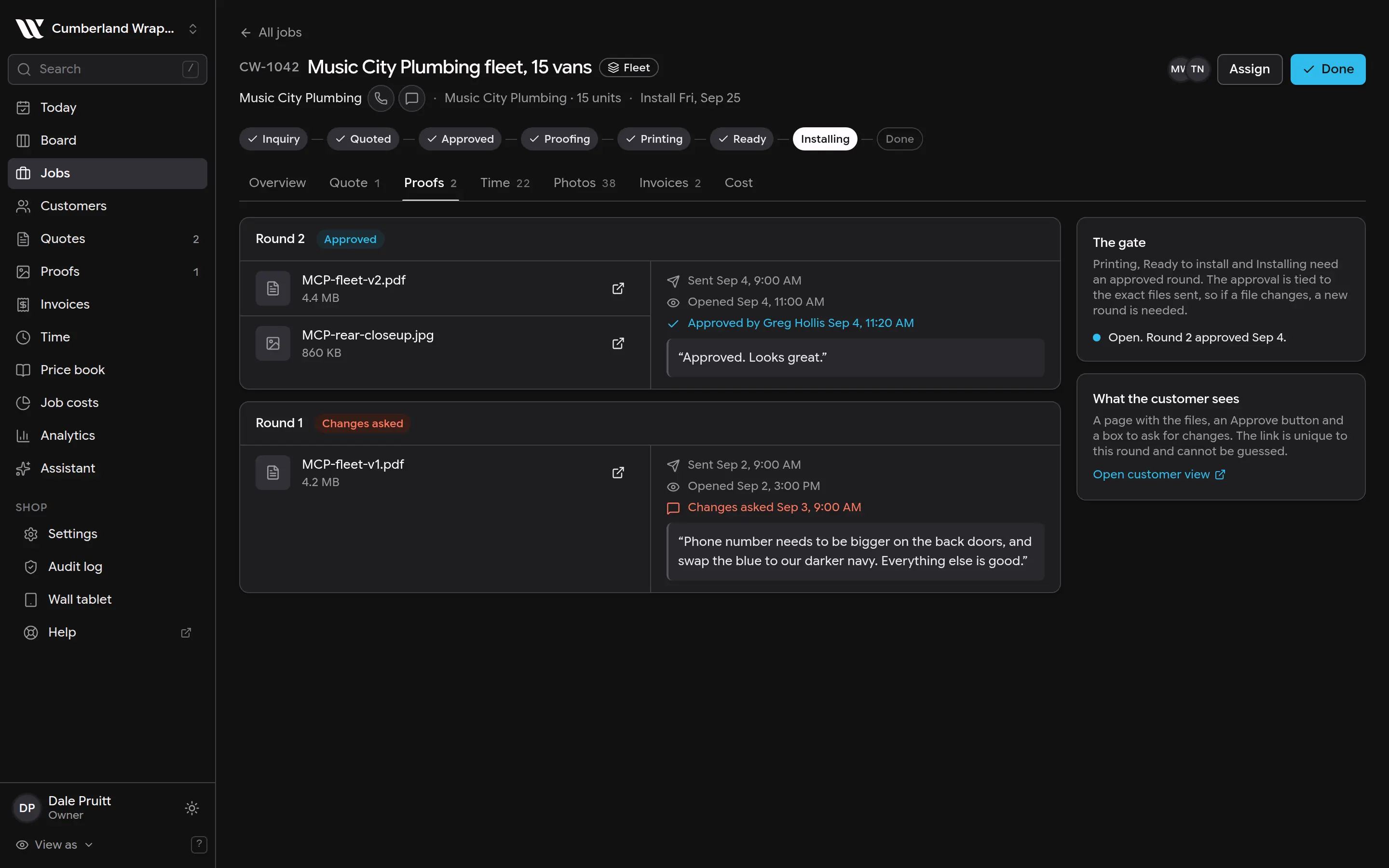
Send the proof from the job. The customer approves or asks for changes from a link; every round is kept with who answered and when; Printing stays locked until an approved round exists. Six months later, when someone disowns a wrap, you have the file they approved and the minute they approved it.
- Approval tied to the exact files sent
- Owner can override the gate, with a reason, on the record
- Fleets proof once per order or once per vehicle
Time clock and job cost
A PIN on the wall tablet. An hour on the job. A margin you can trust.
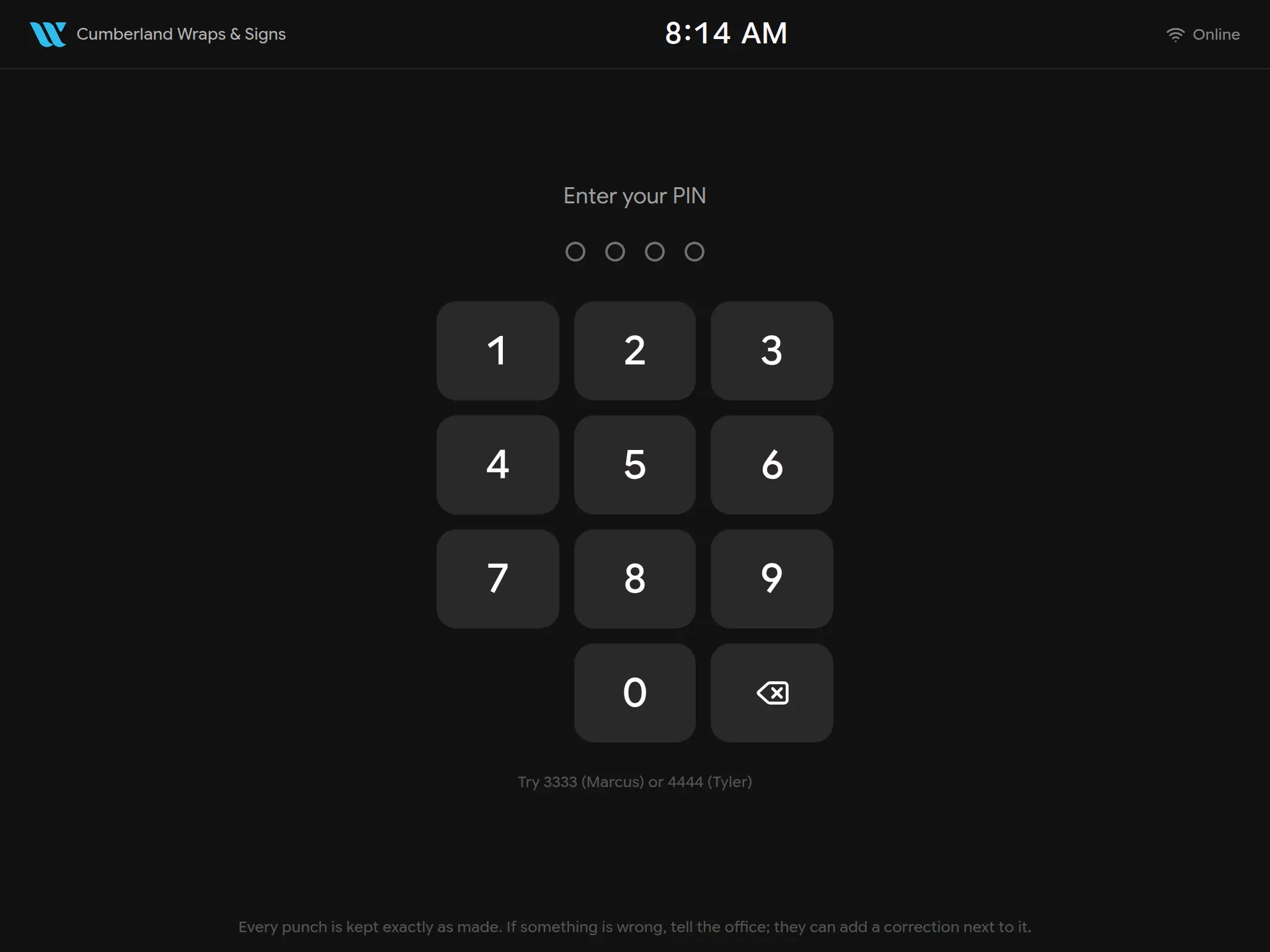
Punches land on the job the moment they are made, from the tablet by the bay door or a phone on site, with or without wifi. Corrections sit beside the original, never over it. Every clocked hour and every roll of film shows up on the job's cost tab against what you quoted, while the job is still in the bay.
- Large targets and high contrast for a bright bay
- Export the week for payroll
- Margin by job shape, and which jobs ran over
What it replaces
The spreadsheet, the time cards, the group text and the guess.
- The jobs spreadsheetThe boardEvery job in a column by stage. Late ones go red and float to the top.
- Paper time cardsWall tablet + phonesPIN in, pick the job. Works with the wifi down. Originals never change.
- Quotes typed in WordPrice bookSet a price once. Assemble quotes from it. See the margin while you discount.
- “Did they approve it?” textsProof approvalCustomer approves from a link. Each round kept. Nothing prints without it.
- “Did they pay?”InvoicesDeposits, progress bills per van, online payment, checks recorded by hand.
- A gut feeling about marginJob costsClocked hours and film used against what you quoted, job by job.
Connected, free
The federal VIN database, the weather service, your calendar.
Most of what a shop needs connected is public data or a standard, so WrapFlow uses it and charges nothing. Type a VIN and the van fills itself in. A site job shows Thursday's forecast and flags when it is too cold for vinyl. QuickBooks Online and Xero sync are in the base price too.
All integrations- VIN decodingVehicles, New job
- Install-day weatherBoard cards, job overview, Today
- Push notificationsPhone, settings
- Calendar feedsSettings, each person's profile
- QuickBooks OnlineInvoices, settings
- Material trackingJob overview
“Fifteen vans in three weeks. I invoiced the first five from the truck on a Friday afternoon, and I knew which van was in the bay without calling Marcus.”
Pricing
$459 a month. Four seats. Everything in the shop.
Each seat after four is $19 a month; people who only clock in are free. No setup fee, no contract, 30 days free with no card. Texting, a shop phone number and the AI assistant are optional modules, priced on their own because they cost per use.
- Board, jobs and the four job shapes
- Customers, vehicles, VIN decoding
- Price book and quotes with options
- Proof approval with the print gate
- Wall tablet and phone time clock
- Deposits, progress and final invoices
- Online card and bank payments
- Job costs, analytics and the audit log
- Help wiki written for the office
- Free integrations, QuickBooks coming
Modules: Messaging $49, Shop phone $49, AI assistant $99, each a month. Card payments through Stripe cost 2.9% + 30¢; those go to Stripe, not us.
Help wiki
Written for the person at the front desk, not a developer.
Short answers to the questions a shop asks. Screenshots are regenerated every time the interface changes, so the pictures always match what you see.
How do I quote a wrap?
Open the job, click Quote, and add lines from your price book. Give the customer up to three options. Click Send and they get a link to view and accept it online.
3 min readWhy can't I move a job to Printing?
Printing, Ready to install and Installing need an approved proof on the job. The owner or office manager can override with a reason, which is recorded on the job.
1 min readSomeone forgot to clock out. How do I fix it?
Open Time, find the punch, click Correct, enter the right time and a reason. The original punch stays visible underneath the correction, so there is never a question about what was changed.
1 min readCan I invoice part of a fleet order?
Yes. Open the fleet job and click Invoice done units, or start a progress invoice from the job and tick the units it covers. Each unit gets its exact share of the accepted quote, to the cent, and the job page shows which invoice each unit is on. The final bills whatever is left, less deposits paid. Each progress invoice lists the units it covers, and the last one settles the balance.
2 min readA customer paid by check. How do I record it?
Open the invoice, click Record payment, enter the amount, the method and the check number. The invoice updates to paid or partially paid.
1 min readWhat can an installer see?
Installers see the board, jobs assigned to them, photos, crew notes and the clock. They do not see prices, costs, quotes, invoices or other people's hours. Office staff see everything except job costs and reports. Owners see everything.
2 min read
Set it up tonight. Quote a van from it tomorrow.
Eight questions, one at a time, and you are looking at your own board with a sample job on it. Load your price list when you are ready; quote from it the first time a customer calls.